The Gigs page is the day-to-day dashboard for your bookings. It combines an inbox-style gig list, a condensed gig detail view, smart follow-up suggestions, and quick access to the modules that keep a booking moving.
Opening the Gigs Page
Navigate to Gigs or click "Gigs" in the sidebar.
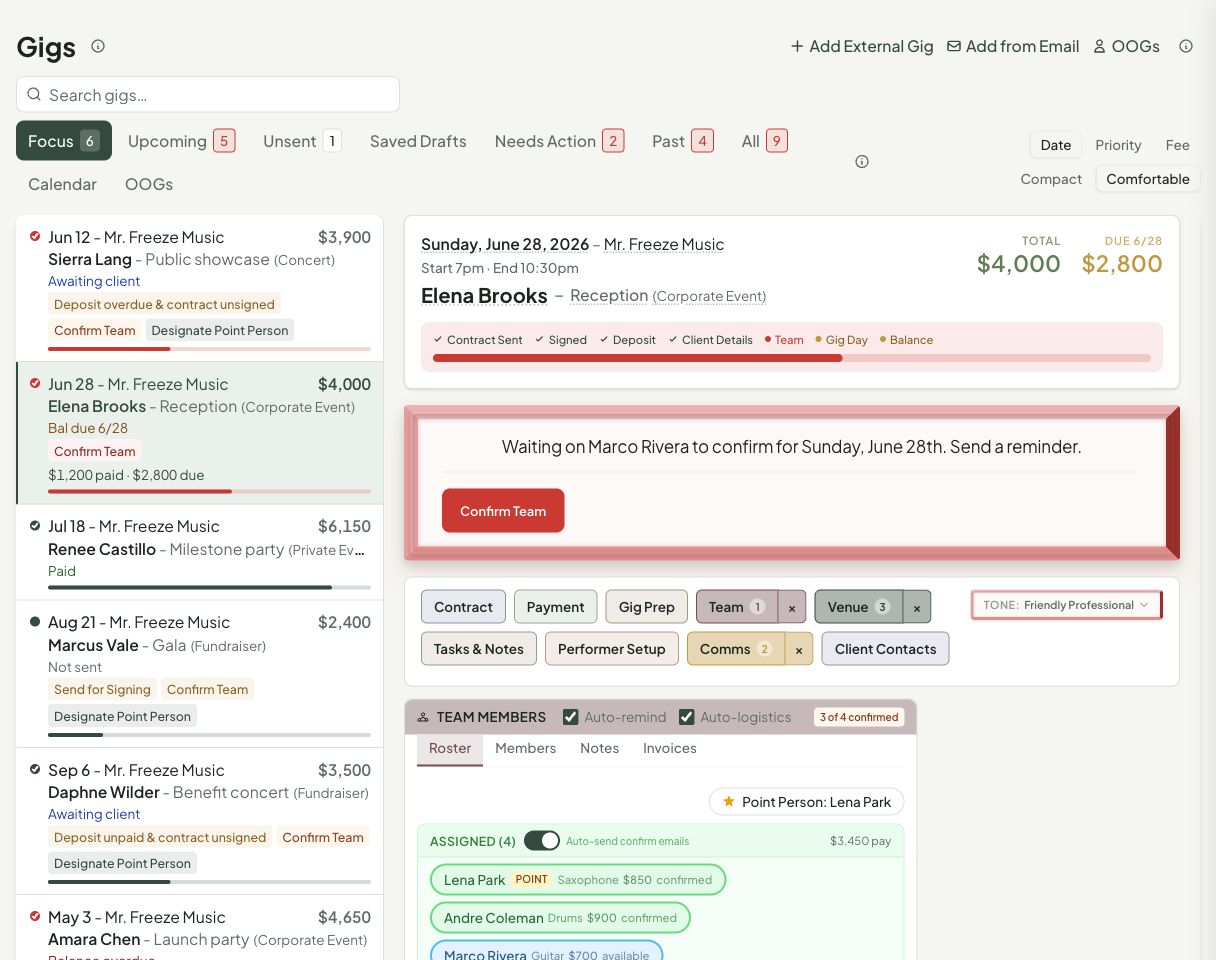
What You See First
The list view is built for scanning. Each gig card shows the date, performer identity, client or event name, event type, fee, payment state, and the most important follow-up badges. The colored progress bar gives you a quick read on how much of the booking workflow is complete.
Use the sort controls to scan by date, priority, or fee. Use Compact or Comfortable density depending on how much detail you want on each card.
Filter Tabs
| Tab | Shows |
|---|---|
| Focus | Gigs GigOrganizer thinks deserve attention first |
| Upcoming | Future gigs |
| Unsent | Draft contracts that have not been sent |
| Drafts | Draft gigs still waiting to be finalized |
| Action | Gigs with a suggested follow-up |
| Past | Completed gigs |
| All | Everything |
| Calendar | Calendar-style gig planning |
| OOGs | Other Organizers' Gigs you are playing for someone else |
Condensed Gig Detail
Click a gig to open its detail view. On wider screens, the detail panel appears next to the list. On smaller screens, it opens as the main view with a Back to list control.
The top of the detail view gives you:
- Total fee, amount due, and paid status
- Date, time, performer identity, client, event name, and event type
- A booking progress row covering contract, signature, client details, deposit, team, and prep state
- A plain-language briefing that explains what should happen next
- Primary action buttons for the current follow-up, such as reminding a client, confirming team, or designating a point person
Dashboard Modules
The lower part of the gig detail is organized into modules. The exact modules depend on the booking, but common sections include Communications, Payment, Contract & E-Signature, Gig Prep, Team, Venue, Tasks & Notes, Performer Setup, and Client Contacts.
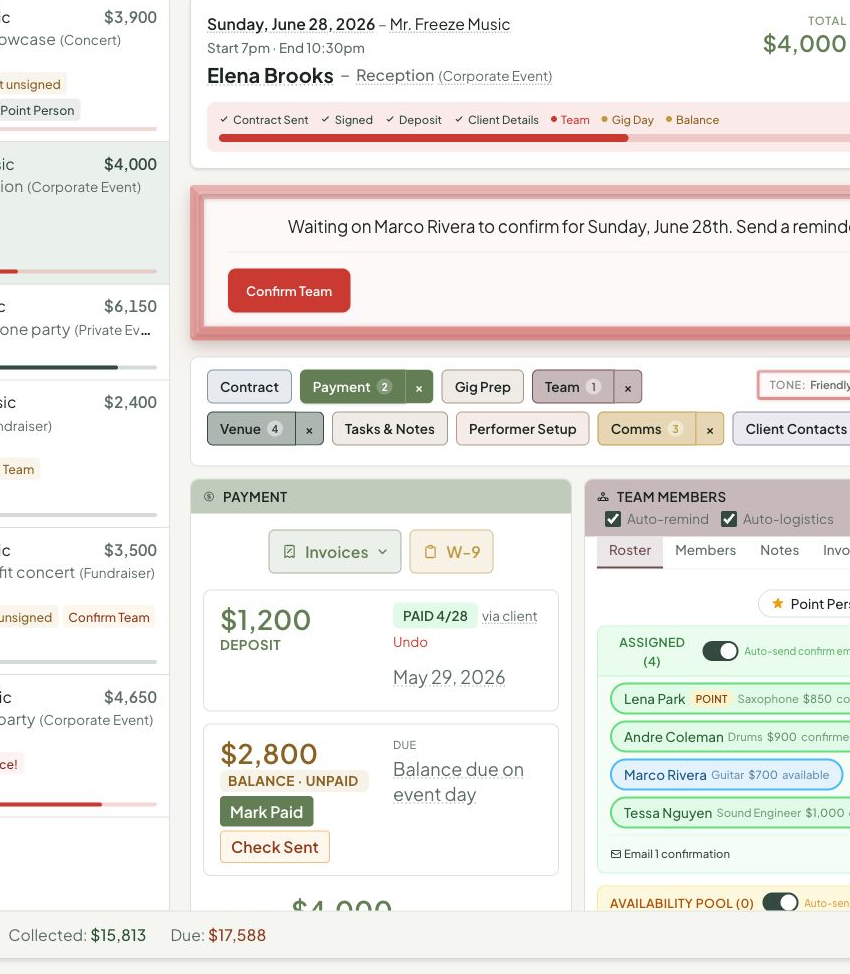
Module chips at the bottom let you jump around the detail view. Chips can include counts so you can see where there is work waiting without opening every section.
Follow-Up Engine
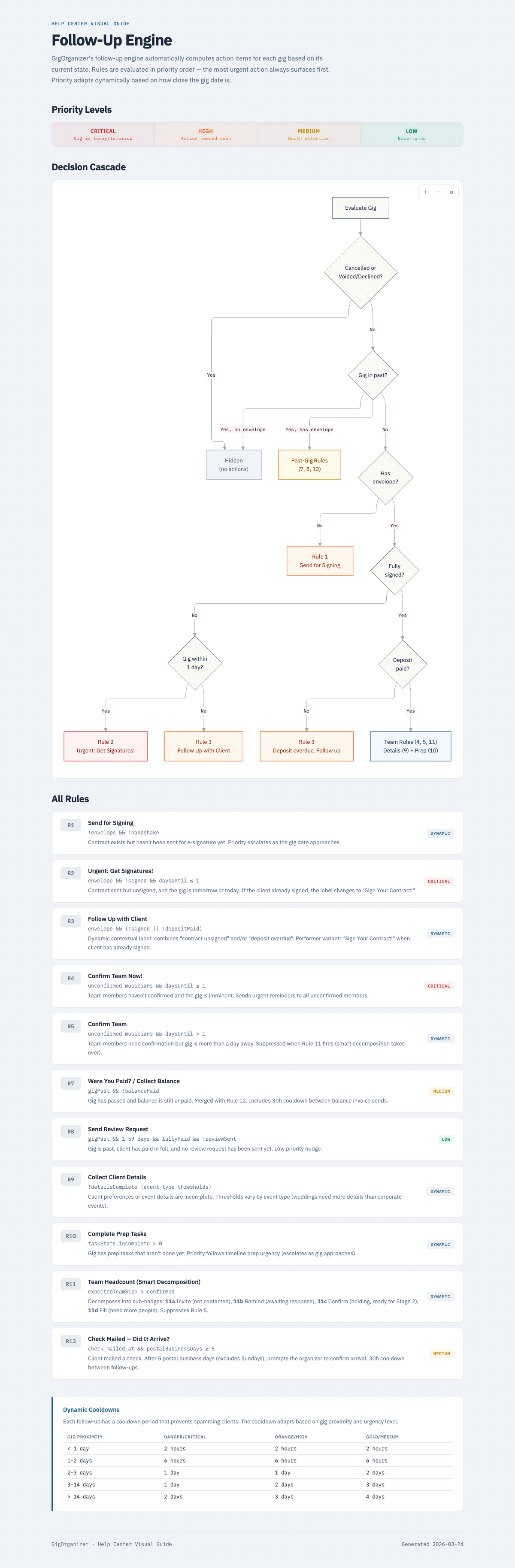
The follow-up engine looks for the next practical thing that would move a gig forward. It reads broad signals like:
- Contract state — Draft, sent, waiting on client, or ready for your signature
- Payment state — Deposit due, balance due, paid, or past due
- Team state — Open slots, pending replies, confirmed team, or missing point person
- Gig prep — Missing client details, incomplete prep tasks, or upcoming due dates
- Timing — Whether the gig is coming up soon, happening today, or already completed
When more than one thing needs attention, the Gigs page surfaces the action that is most useful right now. Completing the suggested action removes or changes the follow-up automatically.
Detail Panel
Click a gig to see:
- Event details, client email, team member list with pay
- Per-signer signature status
- Deposit/balance breakdown with due dates
- Action buttons: "Open Gig Dashboard" and "View Contract"
The current condensed detail view puts those same controls directly on the Gigs page so you can handle most follow-ups without leaving the dashboard.
Common Questions
What does "Action" mean?
Gigs that have a follow-up suggestion from the priority list above.
Can I dismiss a follow-up?
Follow-ups are automatic. Completing the suggested action removes them.